Firoozeh,
Got your email with the detailed process breakdown. Thank you — that was exactly what I needed. Everything you outlined is now built into the system. Here's what's new:
Live URL: seef-scholarship-demo.pages.dev/admin (same logins as before)
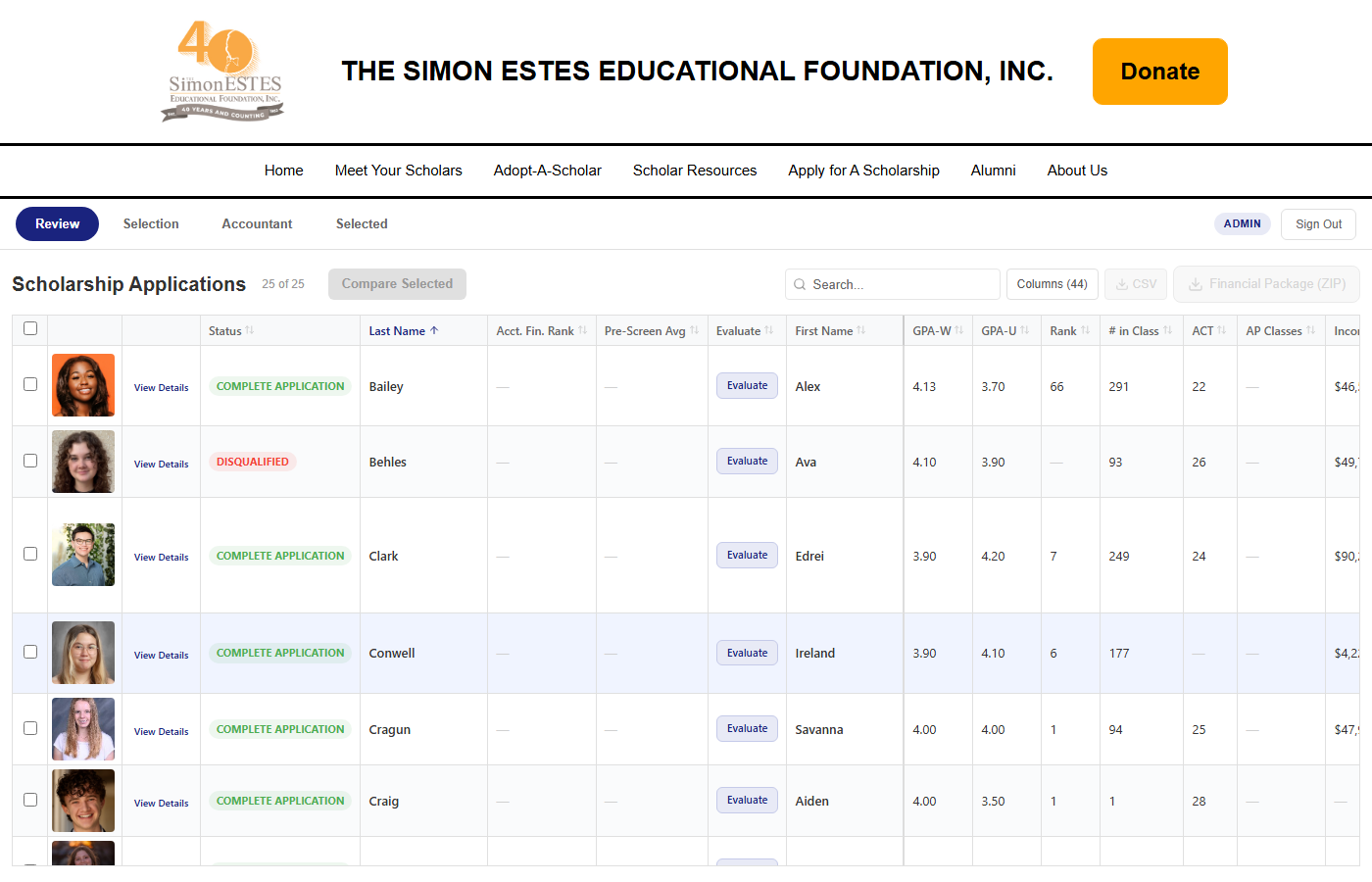
1. "Add a column for Accountant Financial Ranking" / "Add a column for Pre-screening Ranking"
Both columns are now on the Review tab. The Accountant Financial Ranking is a numeric value (1 = most financial need) entered from the Accountant tab. The Pre-Screening Average is automatically calculated from all board members' evaluation scores. Both columns flow across all tabs so rankings are always visible wherever you're working.
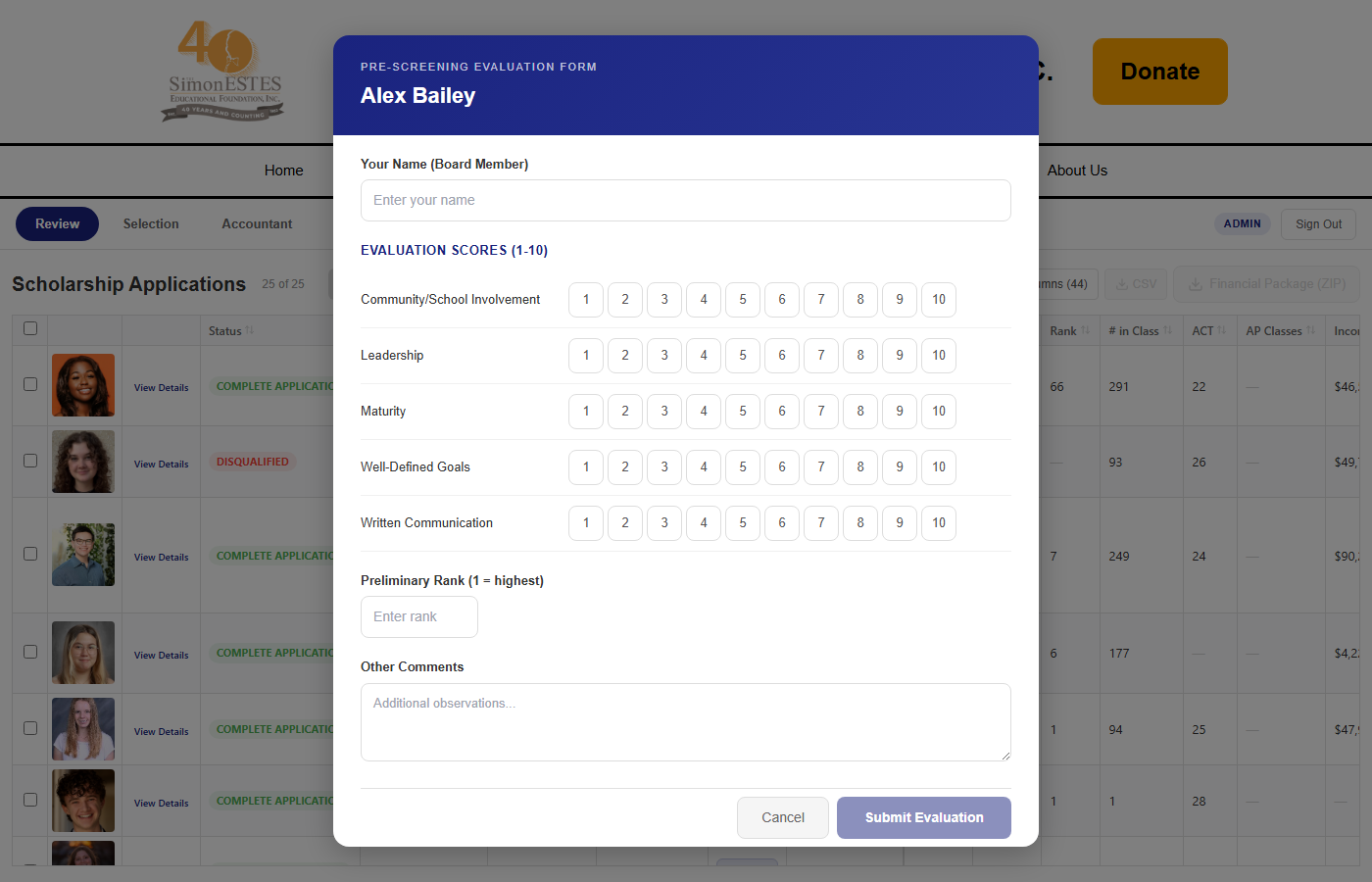
2. Pre-Screening Process — "Board deliberation to rank applicants in several areas matching the Word document"
The Word evaluation form that Jayne sent has been digitized. Each board member clicks "Evaluate" next to an applicant and scores them on the five categories from the form: Community/School Involvement, Leadership, Maturity, Well-Defined Goals, and Written Communication — each on a 1-10 scale. There's also a Preliminary Rank field and comments. Multiple board members can each submit their own evaluation, and the system averages all scores automatically.
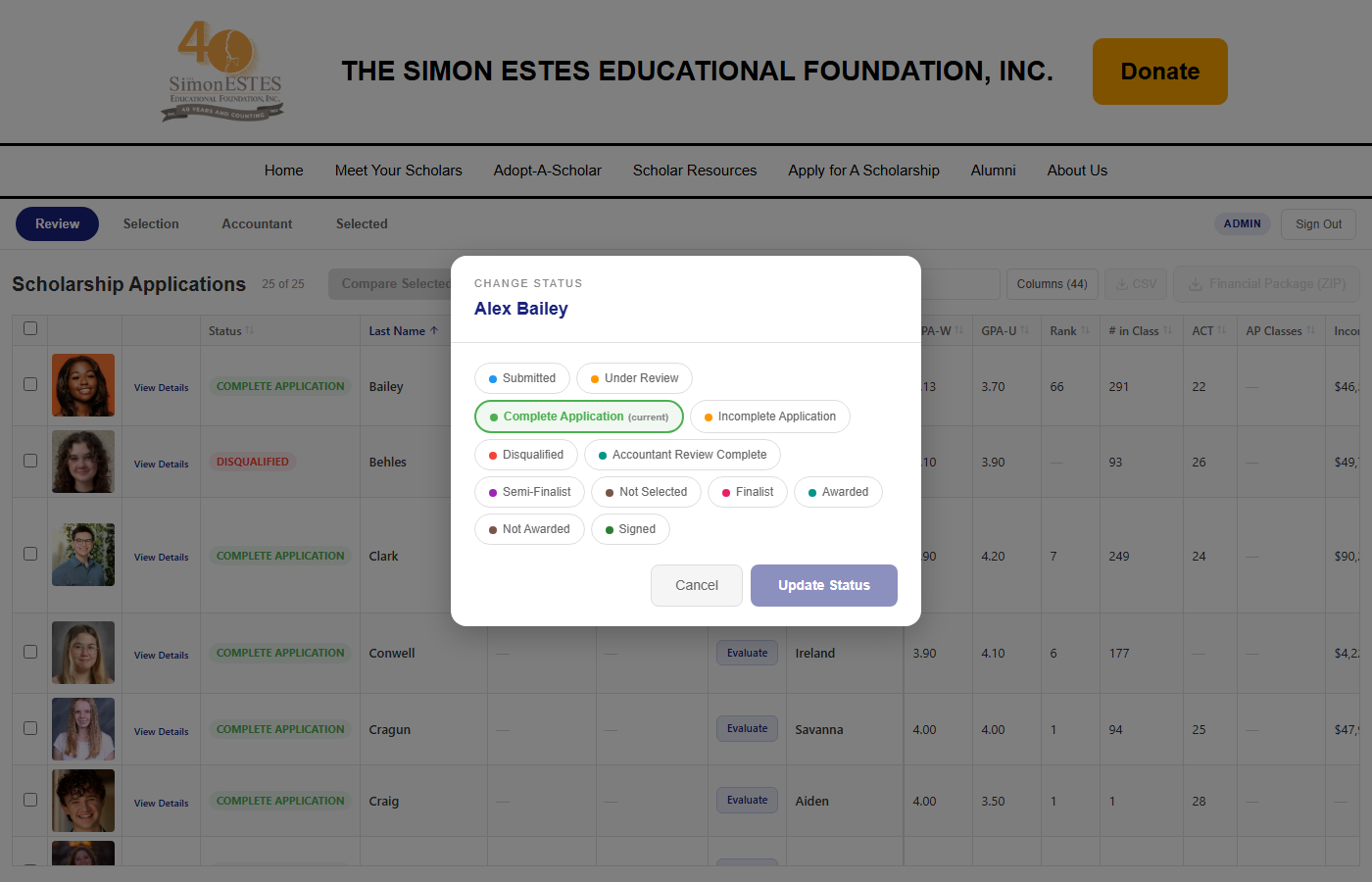
3. "Change status to semi-finalist or not selected with a required reason"
Clicking any status badge now opens a modal with all status options: Submitted, Under Review, Complete Application, Incomplete Application, Disqualified, Accountant Review Complete, Semi-Finalist, Not Selected, Finalist, Awarded, Not Awarded, and Signed. When selecting a negative outcome (Not Selected, Disqualified, Not Awarded, or Incomplete Application), a reason is required before the save button activates. All changes are logged with who made the change and when.
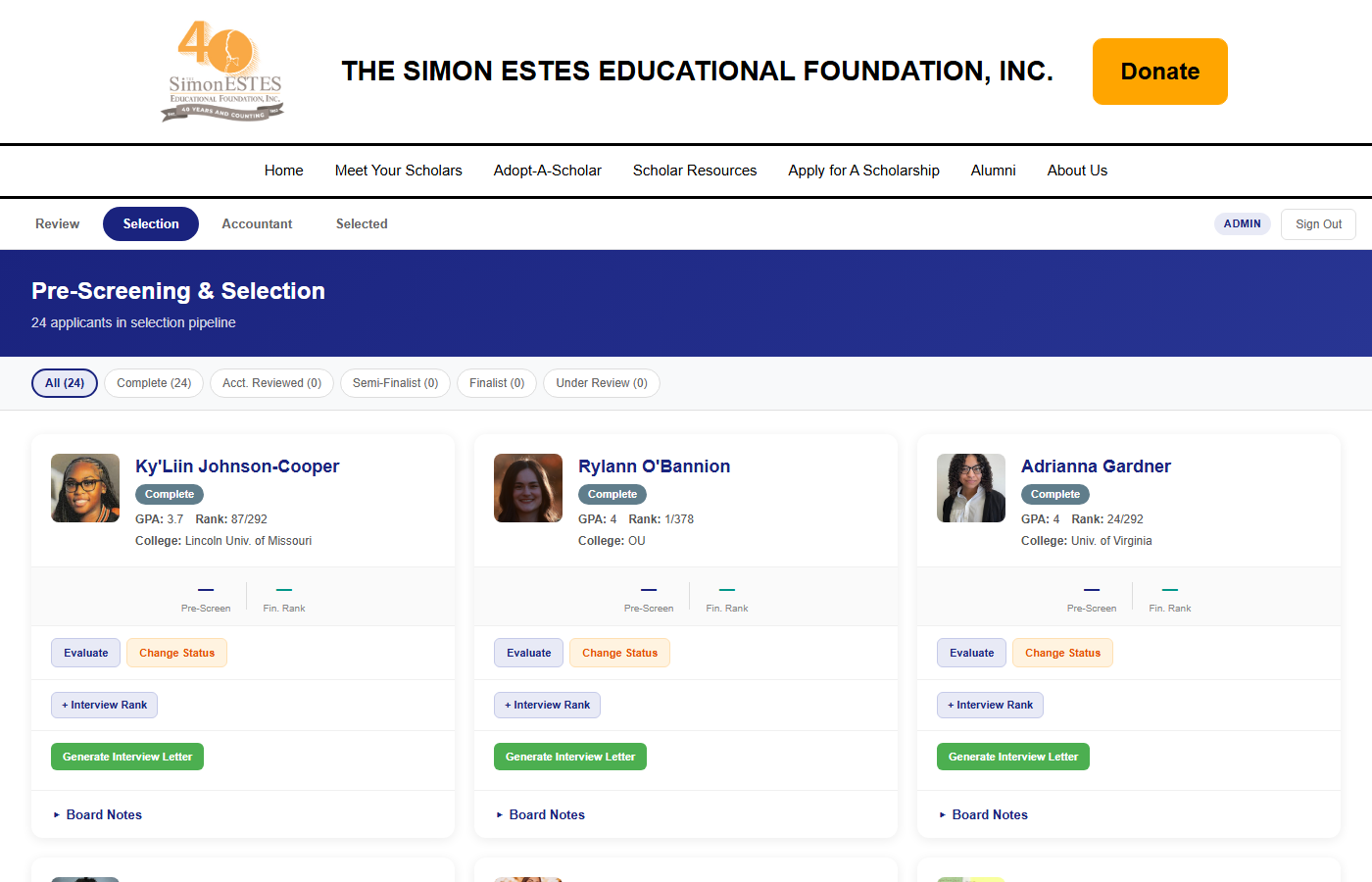
4. Selection Process — "Generate letter, certified mail tracking, interview ranking"
The Selection tab now handles the full semi-finalist workflow you described. Each applicant card shows their pre-screening average and financial ranking. From here you can: generate a printable interview letter with SEEF letterhead (name and address auto-filled), track certified mail sent/returned dates, and enter interview rankings with notes. Each interviewer enters their own ranking, and the system averages them.
5. Accountant Tab — "Financial ranking column"
The Accountant tab now has an editable Financial Ranking column. Whoever handles the accountant review (you mentioned March 30, then Alex/Firoozeh loading rankings April 1) can click "Set" to enter the ranking for each applicant. The ranking then appears automatically on the Review tab and Selection tab.
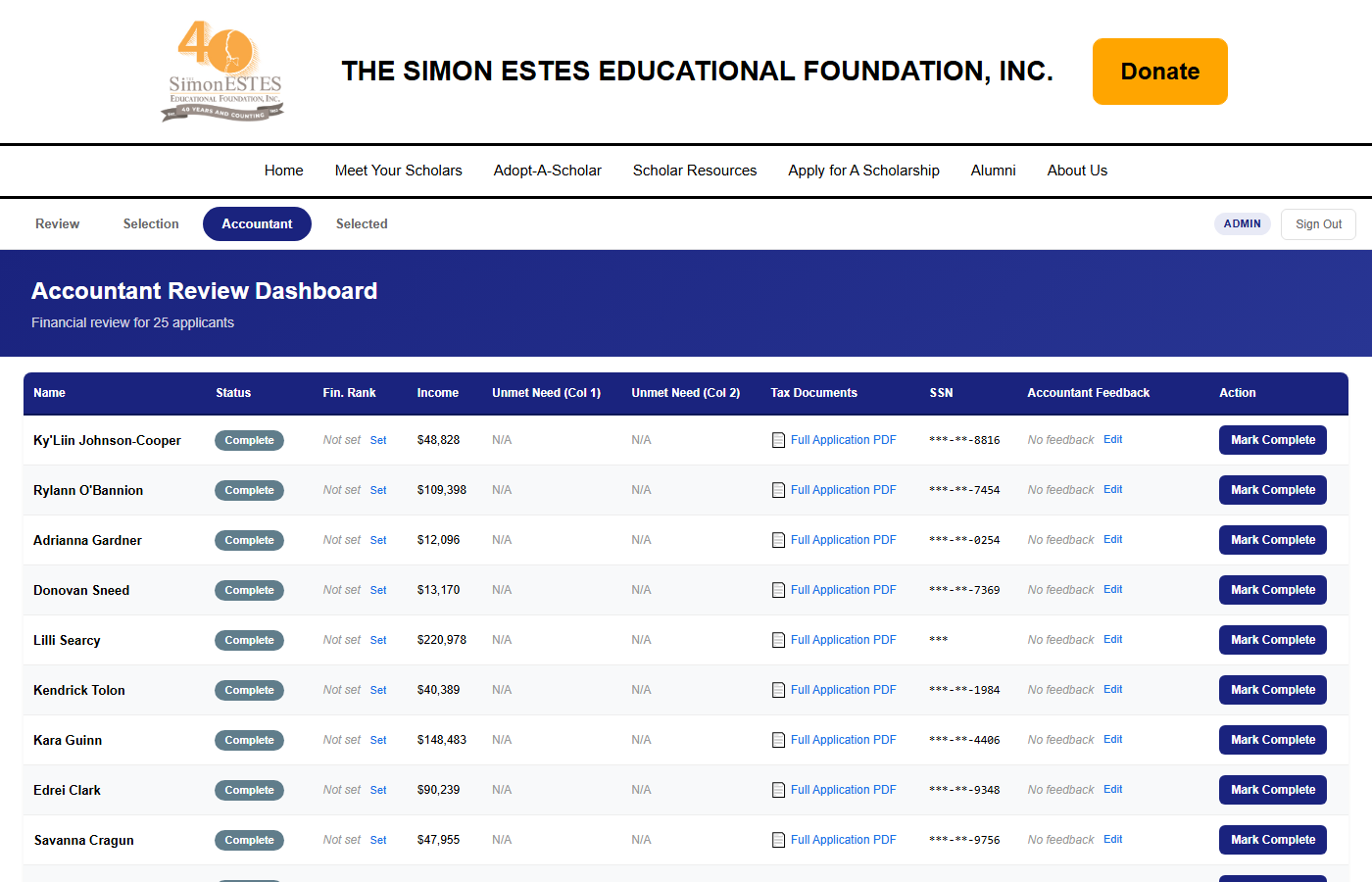
6. Scholar Selection & Orientation — "View all rankings, generate packets, mailing labels"
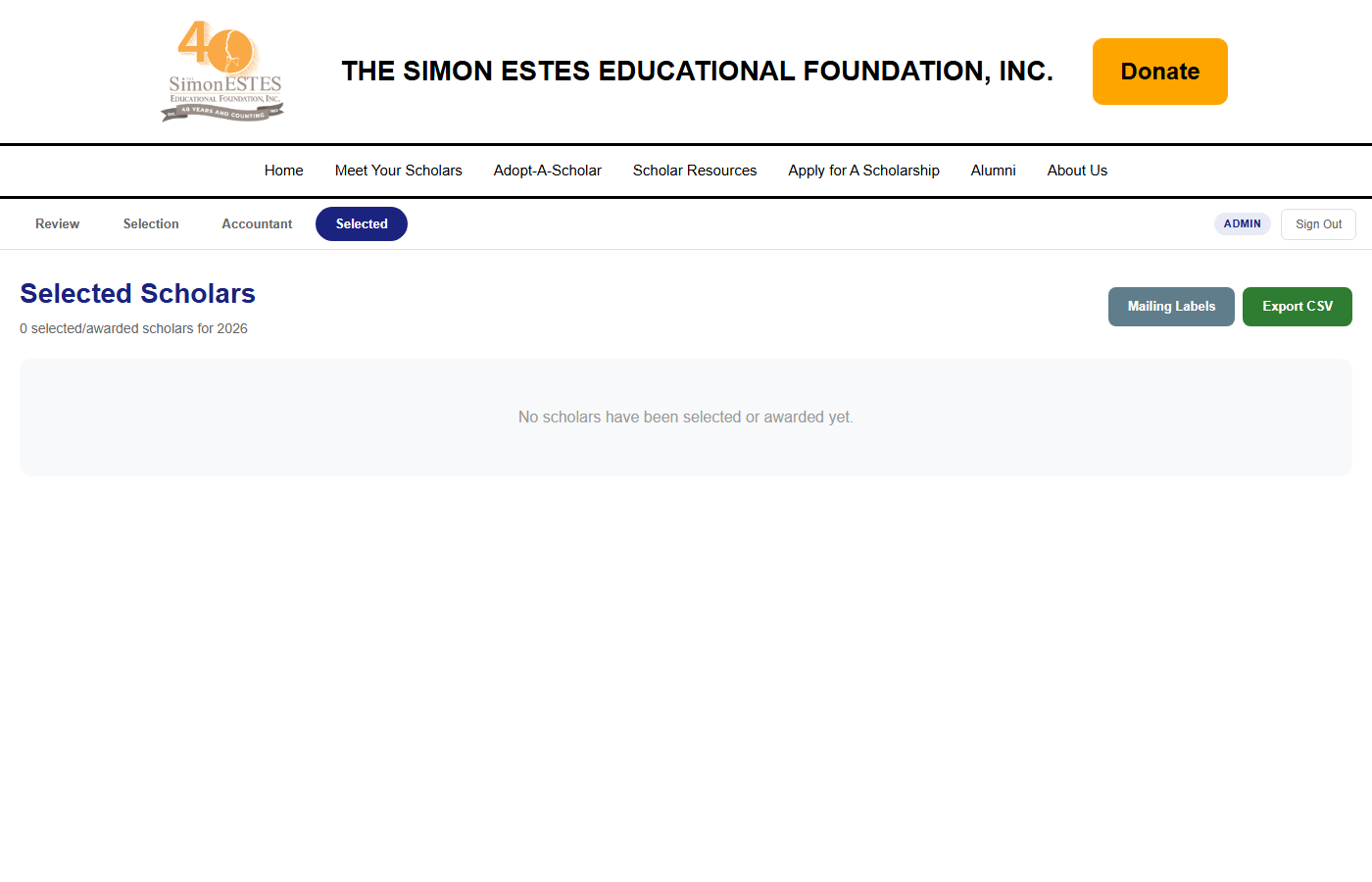
The Selected tab now shows all three rankings side by side (Pre-Screen Average, Financial Rank, Interview Average) so the board can make final award decisions with everything in one place. From here you can change status to Awarded or Not Awarded (with required reason), generate acceptance letters, generate welcome packets for orientation, create printable mailing labels (Avery format), and export to CSV.
Still pending from Jayne: The actual text content for the acceptance letter body, welcome packet sections, and interview letter details (date/time/location). Those are currently placeholder — once Jayne provides the content, I can update them immediately.
Please review and let me know if any adjustments are needed. See you tomorrow at 3pm.
— Alex